개요
Meta에서 새로 나온 기술이 있어서 테스트 해본다. 한 장의 이미지 안에 있는 여러 오브젝트를 간단한 선택만으로 3D로 변환할 수 있는 기술이다.
간단하게 시도해 볼 수 있도록 아래 링크에 잘 만들어져있다.
Segment Anything Playground | Meta
A playground for interactive media
aidemos.meta.com
Git Repo
GitHub - facebookresearch/sam-3d-objects: SAM 3D Objects
SAM 3D Objects. Contribute to facebookresearch/sam-3d-objects development by creating an account on GitHub.
github.com
환경 설정
요구사양
A linux 64-bits architecture (i.e. linux-64 platform in mamba info).
A NVIDIA GPU with at least 32 Gb of VRAM.
PowerShell을 관리자 권한으로 실행하여 wsl Ubuntu-22.04 설치
conda 설치를 위해서 Miniconda 설치 파일 다운로드
wget https://repo.anaconda.com/miniconda/Miniconda3-latest-Linux-x86_64.sh
conda 설치 실행
bash Miniconda3-latest-Linux-x86_64.sh
터미널 재시작
source ~/.bashrc
conda 설치 및 버전 확인
conda --version
Ubuntu 내부에 zip 패키지 넣기

해당 폴더로 이동
(base) root@victor:~# cd /sam-3d-objects-main
환경 설치
(base) root@victor:/sam-3d-objects-main# conda env create -f environments/default.yml
conda 업데이트 하라고 해서 업데이트
(base) root@victor:/sam-3d-objects-main# conda update -n base -c defaults conda
다시 환경 설치를 진행한다. 잘 되면 “To activate this environment, use $ conda activate sam3d-objects”라는 문구를 보게 된다.
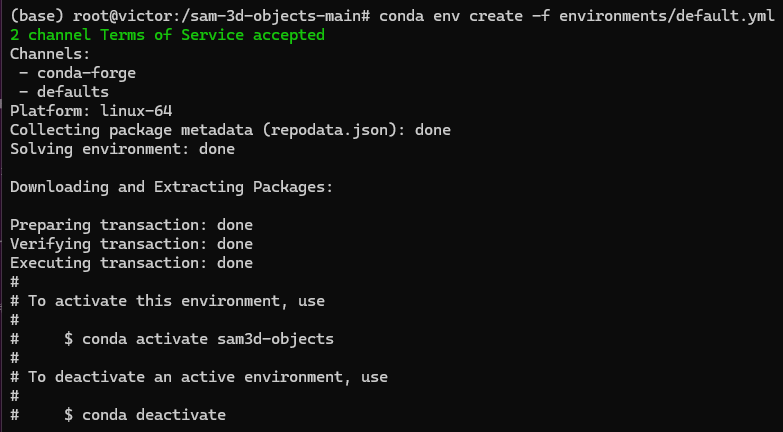
환경 activate (다시 켰을 때는 conda activate만 해줘도 된다. 필요에 따라서 해당 폴더로 이동)
(base) root@victor:/sam-3d-objects-main# conda activate sam3d-objects
cuda dependencies
(sam3d-objects) root@victor:/sam-3d-objects-main# export PIP_EXTRA_INDEX_URL="https://pypi.ngc.nvidia.com https://download.pytorch.org/whl/cu121"
dev install
pip install -e '.[dev]'많은 것을 설치하는 데에 시간이 좀 걸린다
p3d install
pip install -e '.[p3d]'
Install 매뉴얼대로 install inference
export PIP_FIND_LINKS="https://nvidia-kaolin.s3.us-east-2.amazonaws.com/torch-2.5.1_cu121.html"
pip install -e '.[inference]'
setup의 마지막 줄을 실행할 때 권한이 없다고 나오면 권한을 부여해서 진행할 수 있다.
./patching/hydra # https://github.com/facebookresearch/hydra/pull/2863#권한부여
chmod +x ./patching/hydra
Checkpoints를 사용하려면 엑세스 리퀘스트 후 허가가 나야해서 시간이 좀 걸릴 수 있다. (10분 정도 걸린 듯)


huggingface CLI 설치
(sam3d-objects) root@victor:/sam-3d-objects-main# pip install 'huggingface-hub[cli]<1.0'
huggingface 로그인 -사이트에서 Access Token을 발급하여 복붙하면 된다.
(sam3d-objects) root@victor:/sam-3d-objects-main# huggingface-cli login
체크포인트 다운로드 -시간 많이 걸림
TAG=hf
hf download \
  --repo-type model \
  --local-dir checkpoints/${TAG}-download \
  --max-workers 1 \
  facebook/sam-3d-objects
mv checkpoints/${TAG}-download/checkpoints checkpoints/${TAG}
rm -rf checkpoints/${TAG}-download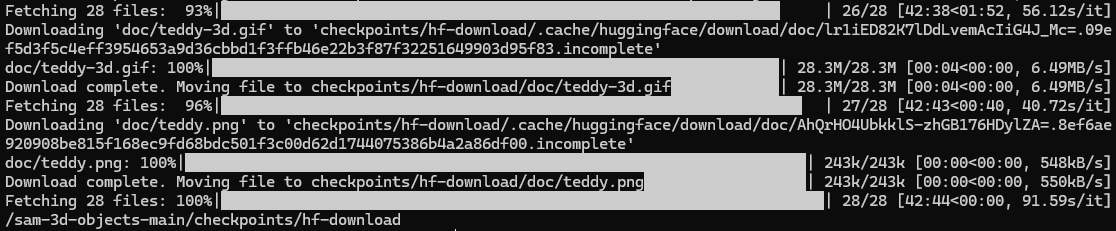
여기까지가 환경설정.
Demo 실행
demo.py
프로젝트에 포함된 demo.py 스크립트를 실행하여 데모 예시를 살펴보자
python demo.py \
  --checkpoint checkpoints/sam3d_model.pth \
  --input examples/sample_image.jpg \
  --output results/
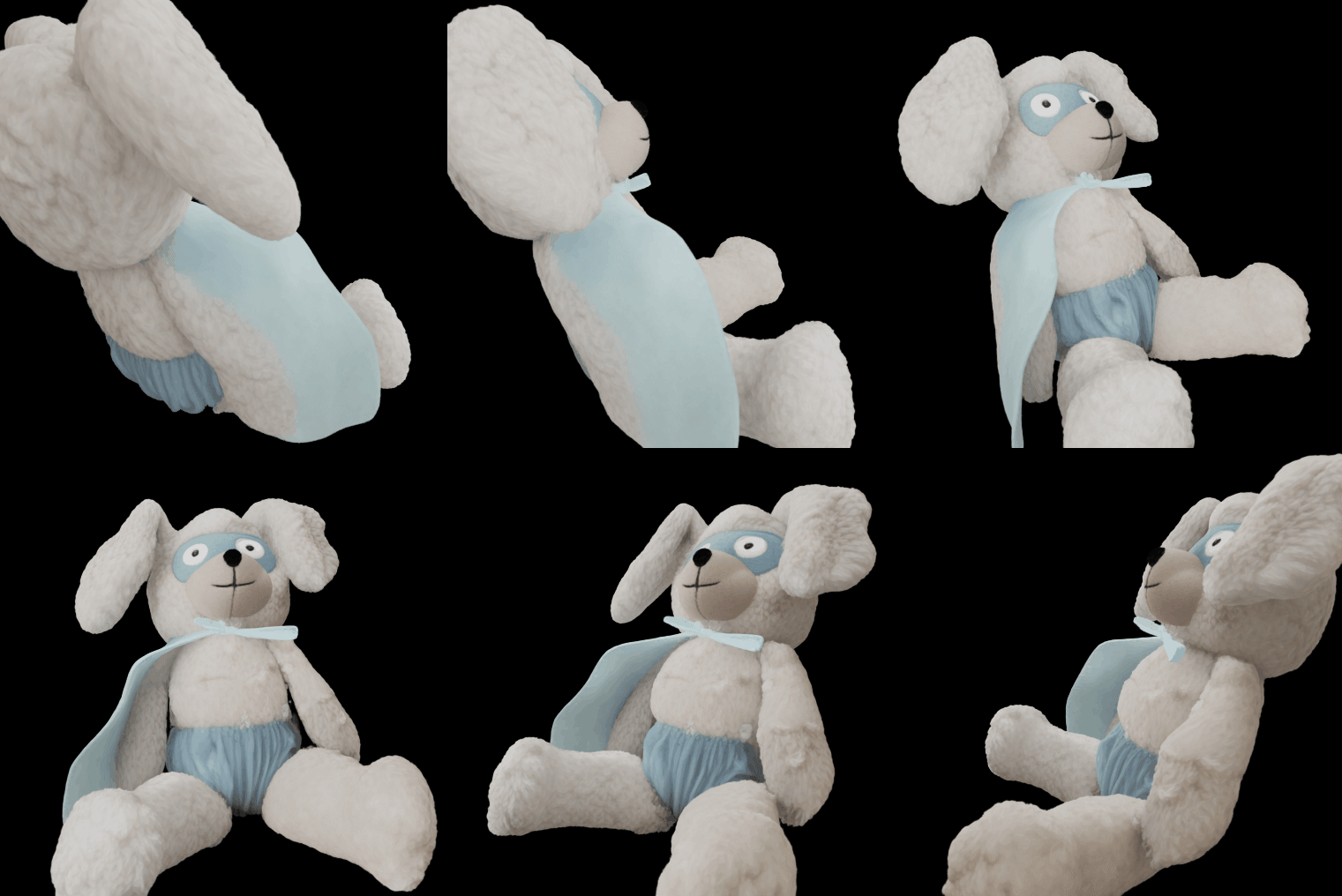
demo.py를 실행하면 index=14에 의해서 “shutterstock_stylish_kidsroom_1640806567” 폴드의 14번째 이미지인 토끼 인형의 ply 파일이 output으로 나오게 된다.


demo_single_object.ipynb
더 디테일한 예시를 위해서 jupyter notebook도 설치해보자.
(sam3d-objects) root@victor:/sam-3d-objects-main# pip install jupyter
(sam3d-objects) root@victor:/sam-3d-objects-main# jupyter notebook
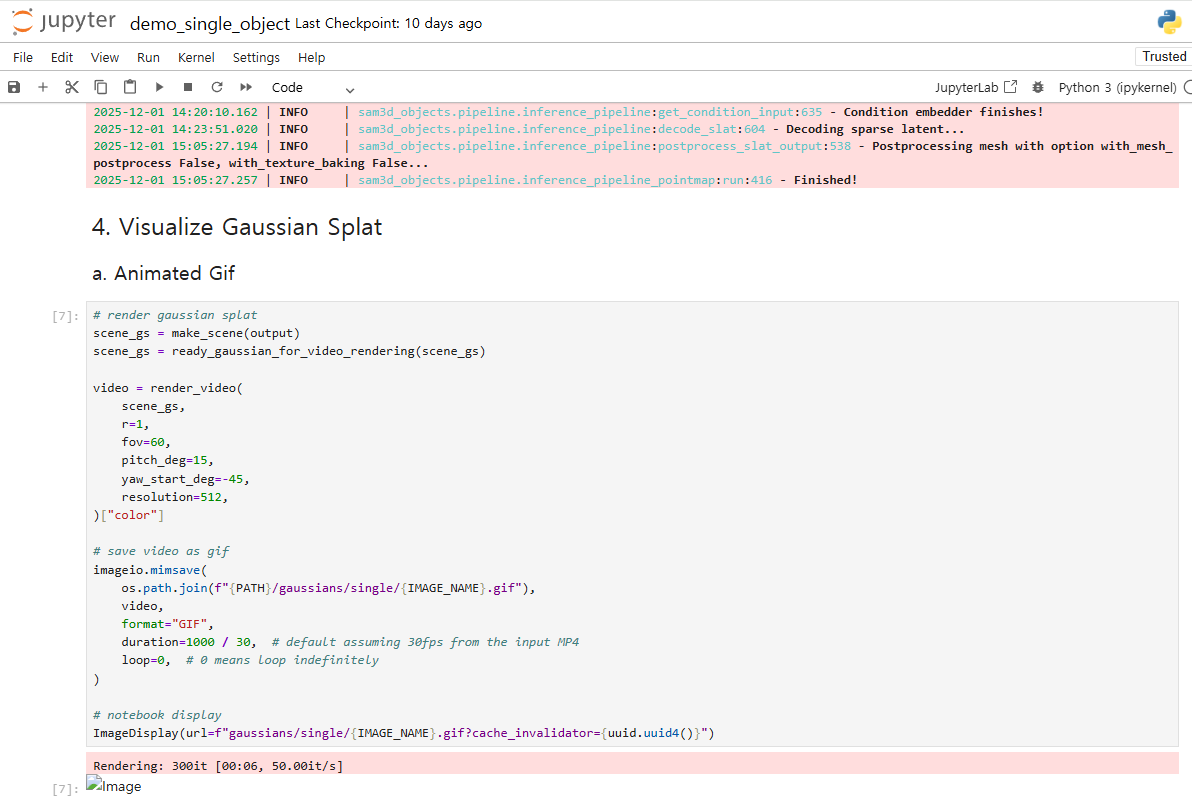
jupyter notebook을 실행하면 잘 진행되고 gif까지 잘 나온다.
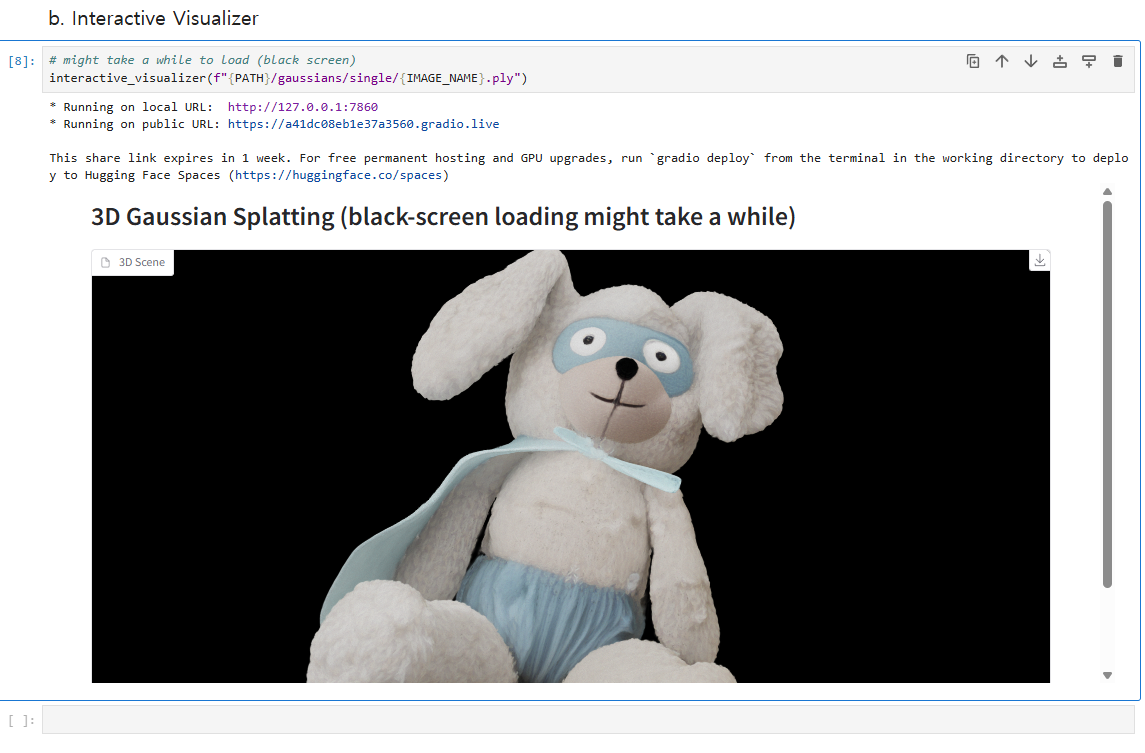
Gradio를 통한 Interactive도 잘 되는데 ply 자체는 자꾸 점 데이터로 나온다. → glb 데이터로 뽑는 옵션 추가하여 glb로 받기 성공. 글 하단에 기술 되어있음
demo_multi_object.ipynb
오브젝트들이 잘 나오는 것을 볼 수 있다.


아래 기술된 방법으로 진행한 GLB export는 마지막 인덱스만 뽑혔다.

GLB로 모델을 뽑을 수 있는지 확인
inference_pipeline.py에 rendering_engine을 nvdiffrast로 변경
#self.rendering_engine = rendering_engine
self.rendering_engine = "nvdiffrast"
inference_pipeline.py 555줄 주석 제거, indent 맞추기
glb.export("sample.glb")
or
demo_single_object.ipynb 파일에 glb export 코드 줄 추가
# 1. 단일 객체 데모의 경우: output 딕셔너리 사용
# output = inference(...) 이후 실행
if output["glb"] is not None:
    output["glb"].export("final_single_object.glb")
    print("SUCCESS: Single object GLB saved as final_single_object.glb")
else:
    print("ERROR: GLB object was not created. Check mesh extraction options.")
glb가 성공적으로 뽑히면 SUCCESS가 뜨도록 하였고 실제로 잘 뽑혔다.
inference_pipeline.py 주석 제거와 glb export 코드 줄 추가 하면 glb가 각각 하나씩 총 두 개가 뽑히기 때문에 둘 중 하나의 방법만 사용해도 괜찮다.
메테리얼은 Color Attribute 노드를 통해 Vertex Color를 가져오는 것으로 확인된다.

이제 여기서 나오는 의문 중 하나는 glb 파일의 텍스쳐가 원본 보다 많이 밝게 나온다는 점
해당 문제가 Issue로 등록 되어 있다.
Baked Texture on Mesh (.glb) is extremely washed-out/pale compared to Gaussian Splat (.ply) · Issue #75 · facebookresearch/sam
Hello, I have successfully set up the pipeline and I am generating high-quality 3D geometry using the multi-view approach (thanks to @devinli123). However, I am facing a persistent issue with textu...
github.com
sam-3d-objects-main\sam3d_objects\model\backbone\tdfy_dit\utils 폴더에 있는 postprocessing_utils.py의 def to_glb() 함수를 바꿔보자. 원본은 주석처리 하고 issue에 제시된 코드로 바꿔끼우면 어떤 결과가 나오는지 살펴본다.
def to_glb(
    app_rep: Union[Strivec, Gaussian],
    mesh: MeshExtractResult,
    simplify: float = 0.95,
    fill_holes: bool = True,
    fill_holes_max_size: float = 0.04,
    texture_size: int = 1024,
    debug: bool = False,
    verbose: bool = True,
    with_mesh_postprocess=True,
    with_texture_baking=True,
    use_vertex_color=False, # Ensure this is False to force texture
    rendering_engine: str = "nvdiffrast",
    return_export_data: bool = False,
) -> Union[trimesh.Trimesh, tuple[trimesh.Trimesh, MeshExportData]]:

    # Force nvdiffrast here as well to be safe
    rendering_engine = "nvdiffrast"

    # 1. Prepare Data
    vertices = mesh.vertices.float().cpu().numpy()
    faces = mesh.faces.cpu().numpy()
    vert_colors = None

    # Try to fetch vertex colors as fallback
    try:
        if mesh.vertex_attrs is not None:
            vert_colors = mesh.vertex_attrs[:, :3].cpu().numpy()
    except: pass

    # 2. Mesh Post-Process
    if with_mesh_postprocess:
        effective_fill_holes = fill_holes # nvdiffrast supports fill_holes
        try:
            vertices, faces = postprocess_mesh(
                vertices, faces,
                simplify=simplify > 0, simplify_ratio=simplify,
                fill_holes=effective_fill_holes,
                fill_holes_max_hole_size=fill_holes_max_size,
                fill_holes_max_hole_nbe=int(250 * np.sqrt(1 - simplify)),
                fill_holes_resolution=1024, fill_holes_num_views=1000,
                debug=debug, verbose=verbose,
            )
        except Exception as e:
            print(f"Mesh Post-Process warning: {e}")

    # 3. Texture Baking
    baked_texture = None
    uvs = None

    if with_texture_baking:
        print(f"-> Baking texture using {rendering_engine}...")
        try:
            vertices, faces, uvs = parametrize_mesh(vertices, faces)

            # Rendering from Gaussian
            observations, extrinsics, intrinsics = render_multiview(
                app_rep, resolution=1024, nviews=100
            )
            masks = [np.any(observation > 0, axis=-1) for observation in observations]
            extrinsics = [extrinsics[i].cpu().numpy() for i in range(len(extrinsics))]
            intrinsics = [intrinsics[i].cpu().numpy() for i in range(len(intrinsics))]

            # Bake
            texture = bake_texture(
                vertices, faces, uvs,
                observations, masks, extrinsics, intrinsics,
                texture_size=texture_size,
                mode="opt", lambda_tv=0.01, verbose=verbose,
                rendering_engine=rendering_engine
            )

            if texture is not None:
                # Natural Mode: No extra gamma/contrast needed if nvdiffrast is used
                # Just basic clipping and conversion
                texture = np.clip(texture, 0, 255).astype(np.uint8)
                baked_texture = Image.fromarray(texture)

        except Exception as e:
            print(f"Texture Baking failed: {e}")

    # 4. Create Trimesh & Assign Material
    # Rotate from Z-up to Y-up
    vertices = vertices @ np.array([[1, 0, 0], [0, 0, -1], [0, 1, 0]])

    # Material Setup (This ensures the texture is displayed correctly)
    mat = None
    if baked_texture is not None:
        mat = trimesh.visual.material.PBRMaterial(
            roughnessFactor=1.0,
            metallicFactor=0.0,
            baseColorTexture=baked_texture,
            baseColorFactor=np.array([255, 255, 255, 255], dtype=np.uint8),
            doubleSided=True
        )

    mesh = trimesh.Trimesh(vertices=vertices, faces=faces, process=False)

    # Priority Logic: If Texture exists, IGNORE Vertex Colors
    if baked_texture is not None:
        mesh.visual = trimesh.visual.TextureVisuals(uv=uvs, material=mat)
    elif use_vertex_color and vert_colors is not None:
        if len(vert_colors) == len(vertices):
            mesh.visual.vertex_colors = vert_colors

    if return_export_data:
        export_data = MeshExportData(
            vertices=vertices, faces=faces,
            uvs=uvs if baked_texture is not None else None,
            texture=baked_texture,
            vertex_colors=vert_colors if use_vertex_color else None,
        )
        return mesh, export_data

    return mesh
MeshExportData 클래스에 대한 내용이 없어서 코드 실행이 불가능하다…
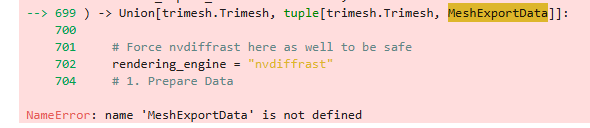

이미 Issue에도 올라온 내용이고 추가 답변을 기다려보자.
추가 답변대로 전체 스크립트 코드를 수정해보면,
sam3d_objects/pipeline/inference_pipeline.py 파일 수정
sam3d_objects/model/backbone/tdfy_dit/utils/postprocessing_utils.py 파일 수정
수정 후 나온 결과물을 보자.

[KRITIK HATA] Texture Baking: name 'GaussianRasterizationSettings' is not defined아쉽게도 해당 문구 때문인지 Texture가 없이 나왔다.
gif는 잘 나옴
추가 Issue raise가 될 줄 알았는데 이슈 생성자가 이슈를 닫아버렸다;;;
결론 및 한계점
- UI를 이용한 이미지 선택 및 전환은 오픈된 소스만으로는 불가능 → 데모 웹페이지를 무조건 거쳐야 함
- Jupyter Notebook을 이용한 output inference에 시간이 너무 많이 걸림
- 3D 모델링 퀄리티는 이전의 AI와 비슷함. 가까이 보면 많이 지저분한 부분이 보임. 매끈한 표면과 각진 코너가 뚜렷하게 표현되는 AI 모델링은 아직 없는 것으로 보여짐.
- 이 기술의 의의는 단일 사진에서 다른 물체에 가려져도 전체 모양을 뽑아낼 수 있는 기술이라는 점, 이미지 내의 어떤 오브젝트든 선택하여 자동 마스킹이 되고 3D 메쉬화 할 수 있다는 점
추가 사항
multi-view-sam-3d-objects
SAM 3D를 업그레이드하여 멀티 뷰에서 본 사진으로 3D 오브젝트 생성 가능
GitHub - devinli123/multi-view-sam-3d-objects: SAM 3D Objects with Multi Images
SAM 3D Objects with Multi Images. Contribute to devinli123/multi-view-sam-3d-objects development by creating an account on GitHub.
github.com
mip-splatting
mip-splatting을 이용해서 더 나은 결과물을 만들었다는 issue 댓글이 있긴함 (#Issue 75)

GitHub - autonomousvision/mip-splatting: [CVPR'24 Best Student Paper] Mip-Splatting: Alias-free 3D Gaussian Splatting
[CVPR'24 Best Student Paper] Mip-Splatting: Alias-free 3D Gaussian Splatting - autonomousvision/mip-splatting
github.com
SAM 3D ARTIST OBJECT DATASET

coming soon…
'3D AI Generator' 카테고리의 다른 글
| AI를 활용한 Sparc3D 모델링과 Meshy.AI 텍스쳐링 프로세스 (0) | 2025.12.12 |
|---|---|
| QWEN 이미지 AI를 ComfyUI에서 사용하기 (1) | 2025.12.11 |
| Google AI Studio에서 Nanobanana 앱 빌드하기 (0) | 2025.12.09 |
| Claude AI와 Blender MCP를 이용한 모델링 자동화 구현 (4) | 2025.05.27 |
| [3D AI Generator] 이미지를 넣어서 3D 모델 만들기 (TRELLIS) (2) | 2024.12.17 |


