728x90
반응형
리더암, 팔로우암 조립

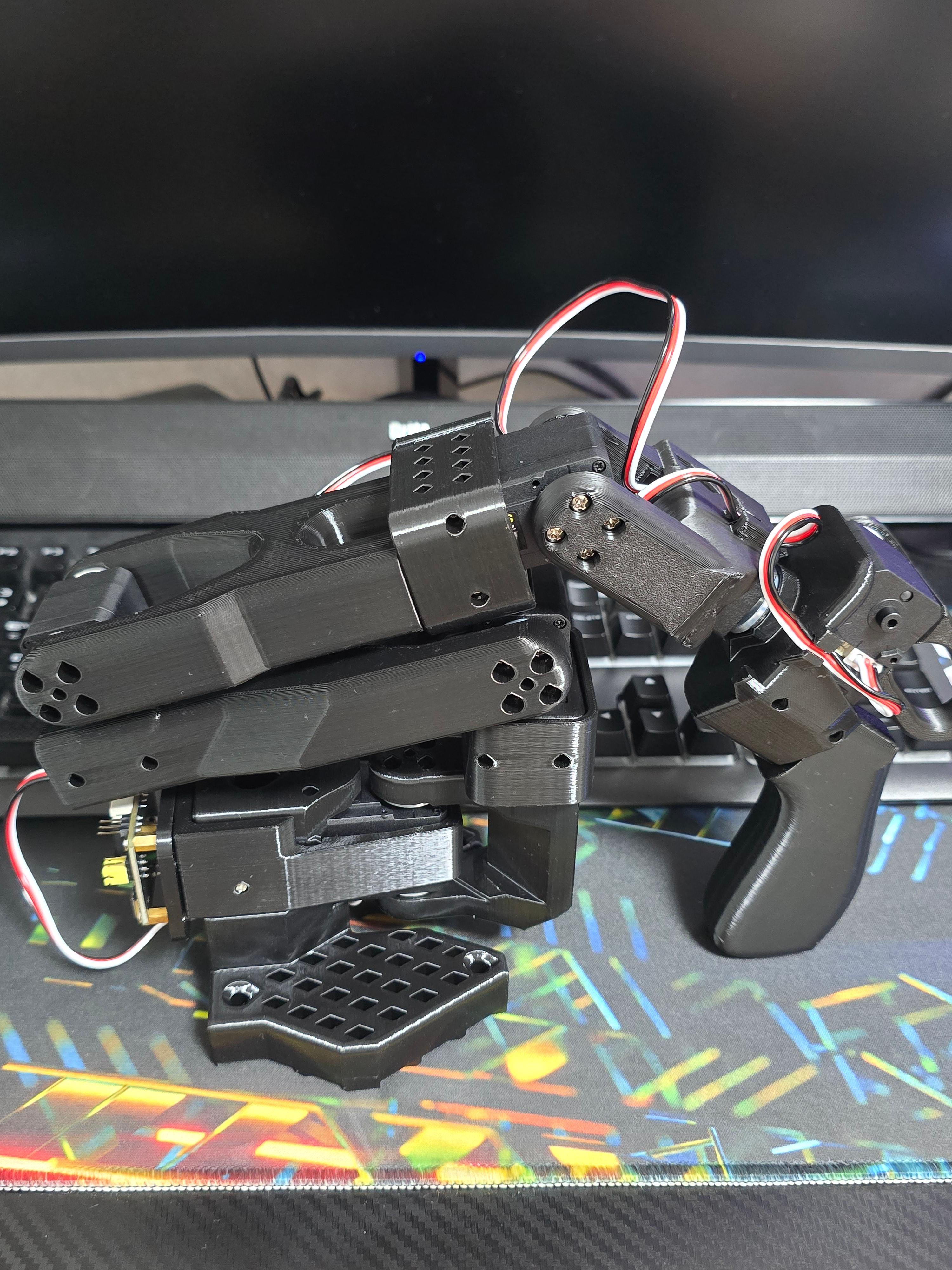
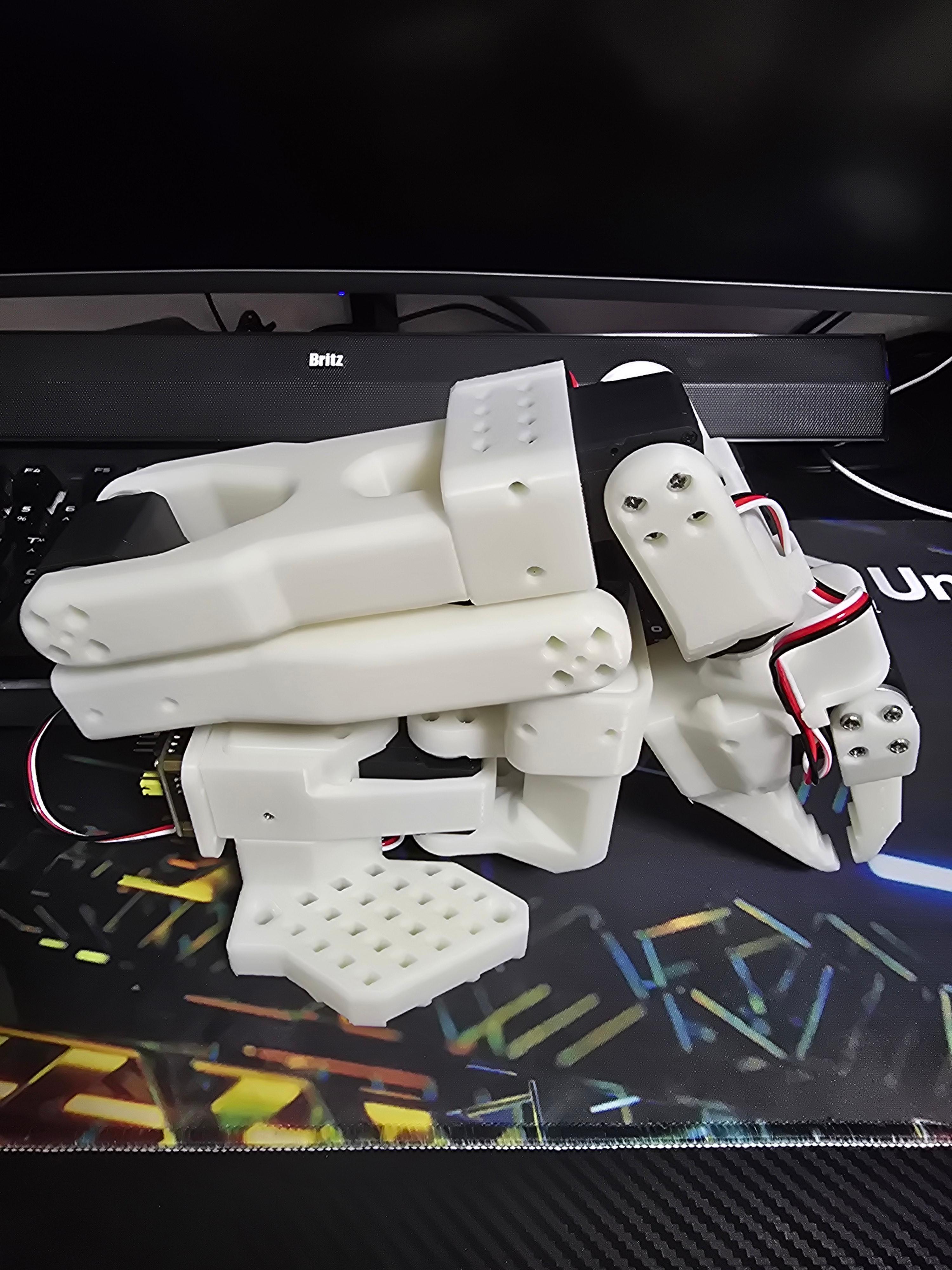
공식 Huggingface 페이지 및 유튜브 조립 영상을 참고하여 두 로봇 모두 조립을 완료했다.
https://huggingface.co/docs/lerobot/so101
SO-101 · Hugging Face
We’re on a journey to advance and democratize artificial intelligence through open source and open science.
huggingface.co
양쪽 Arm 데이지 체인 응답 확인
WSL2에서 Lerobot 활성화 한 후, PowerShell에서 attach한다.
양쪽 Arm 모두 연결한 상태
# WSL2, conda activate lerobot 상태에서
Attach-Both  # PowerShell 측에서 먼저
WSL2에서 연결 확인 -Follower
python - <<'EOF'
from lerobot.robots.so_follower import SO101Follower, SO101FollowerConfig

cfg = SO101FollowerConfig(port="/dev/ttyACM0", id="sanity_test")
robot = SO101Follower(cfg)
robot.connect(calibrate=False)

# bus 레벨에서 raw read (normalize 우회)
raw = robot.bus.sync_read("Present_Position", normalize=False)
for name, val in raw.items():
    print(f"  {name:15s} id={robot.bus.motors[name].id}  raw_pos={val}")

robot.disconnect()
print("OK - all 6 motors responded")
EOF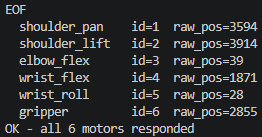
WSL2에서 연결 확인 -Leader
python - <<'EOF'
from lerobot.teleoperators.so_leader import SO101Leader, SO101LeaderConfig

cfg = SO101LeaderConfig(port="/dev/ttyACM1", id="sanity_test_leader")
leader = SO101Leader(cfg)
leader.connect(calibrate=False)

raw = leader.bus.sync_read("Present_Position", normalize=False)
for name, val in raw.items():
    print(f"  {name:15s} id={leader.bus.motors[name].id}  raw_pos={val}")

leader.disconnect()
print("OK - all 6 motors responded")
EOF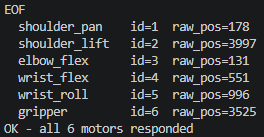
Calibration
Follower arm calibration
lerobot-calibrate \
    --robot.type=so101_follower \
    --robot.port=/dev/ttyACM0 \ #팔로워 암의 포트
    --robot.id=so101_twin_follower #팔로워 암의 id 지정
각 관절을 최소/최대로 움직이면 해당 값이 json에 저장된다.
Leader arm calibration
lerobot-calibrate \
    --teleop.type=so101_leader \
    --teleop.port=/dev/ttyACM1 \
    --teleop.id=so101_twin_leader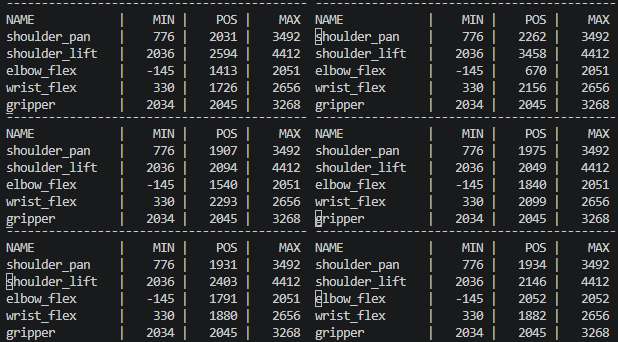
최대한 움직여 가면서 최소값과 최대값을 기록하면 된다. 마이너스 값이 나오면 기록이 안되기 때문에 그럴 경우 로봇을 다른 모션으로 설정하고 다시 연결해서 calibration을 진행하면 된다.
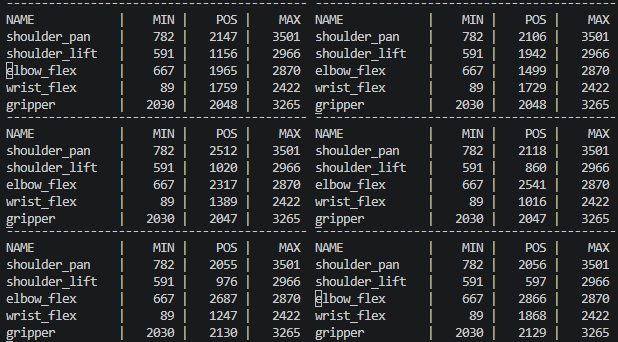
json에 값이 잘 들어있는 것을 확인할 수 있다.

Calibration 정보를 바탕으로 현재 모터 각도 계산
Follower
python - <<'EOF'
from lerobot.robots.so_follower import SO101Follower, SO101FollowerConfig
cfg = SO101FollowerConfig(port="/dev/ttyACM0", id="so101_twin_follower")
robot = SO101Follower(cfg)
robot.connect()
obs = robot.get_observation()
print("Follower joint positions (degrees):")
for key, val in obs.items():
    if "pos" in key:
        print(f"  {key:25s} = {val:+7.2f}")
robot.disconnect()
EOF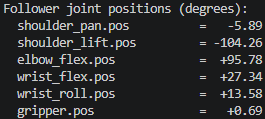
- get_observation() 호출 시점에 서보에서 현재 raw encoder 값 읽음 (0~4095 중 하나, 실시간)
- Calibration JSON의 homing_offset, range_min, range_max를 적용해서 degrees로 변환
degrees = (raw_pos - homing_offset - 2048) × (360 / 4096) [× 방향 부호, 관절마다]
- shoulder_pan: -5.89° → calibration 중립에서 거의 정면, 살짝 좌측(또는 우측)
- shoulder_lift: -104.26° → 팔이 크게 아래로 내려가 있음 (중력으로 떨어진 상태일 듯)
- elbow_flex: +95.78° → 팔꿈치 거의 직각으로 굽힘
- gripper: +0.69° → 거의 닫힌 상태
Leader
python - <<'EOF'
from lerobot.teleoperators.so_leader import SOLeader, SO101LeaderConfig
cfg = SO101LeaderConfig(port="/dev/ttyACM1", id="so101_twin_leader")
leader = SOLeader(cfg)
leader.connect()
obs = leader.get_action()
print("Leader joint positions (degrees):")
for key, val in obs.items():
    print(f"  {key:25s} = {val:+7.2f}")
leader.disconnect()
EOF
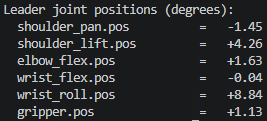
여기서 계산한 각도는 이후 단계에서 사용된다.
- ROS sensor_msgs/JointState의 표준 단위와 호환
근데 ROS는 radians가 표준이라 나중에 degrees × π/180 변환만 하면 된다. degrees를 중간 표현으로 쓰다가 ROS 퍼블리시 직전에 radians로 바꾸는 게 일반적이다. - URDF joint limits와 직접 비교 가능
URDF에 "joint shoulder_lift: lower=-1.57 upper=1.57" 이런 식으로 적혀있으니 degrees↔radians만 맞추면 바로 비교할 수 있다. - MoveIt, RViz 모두 radians 기준으로 동작
degrees는 라디안으로 가는 징검다리. - Unreal은 degrees 단위
FRotator는 degrees 단위. 그래서 WSL에서 radians로 받아서 Unreal에서 degrees로 변환할 예정이다. rosbridge로 송수신하는 모든 ROS 메시지가 radians 기준이라 일관성이 유지되고, Unreal 헬퍼에서 한 번만 변환하면 된다.
728x90
반응형


